Background
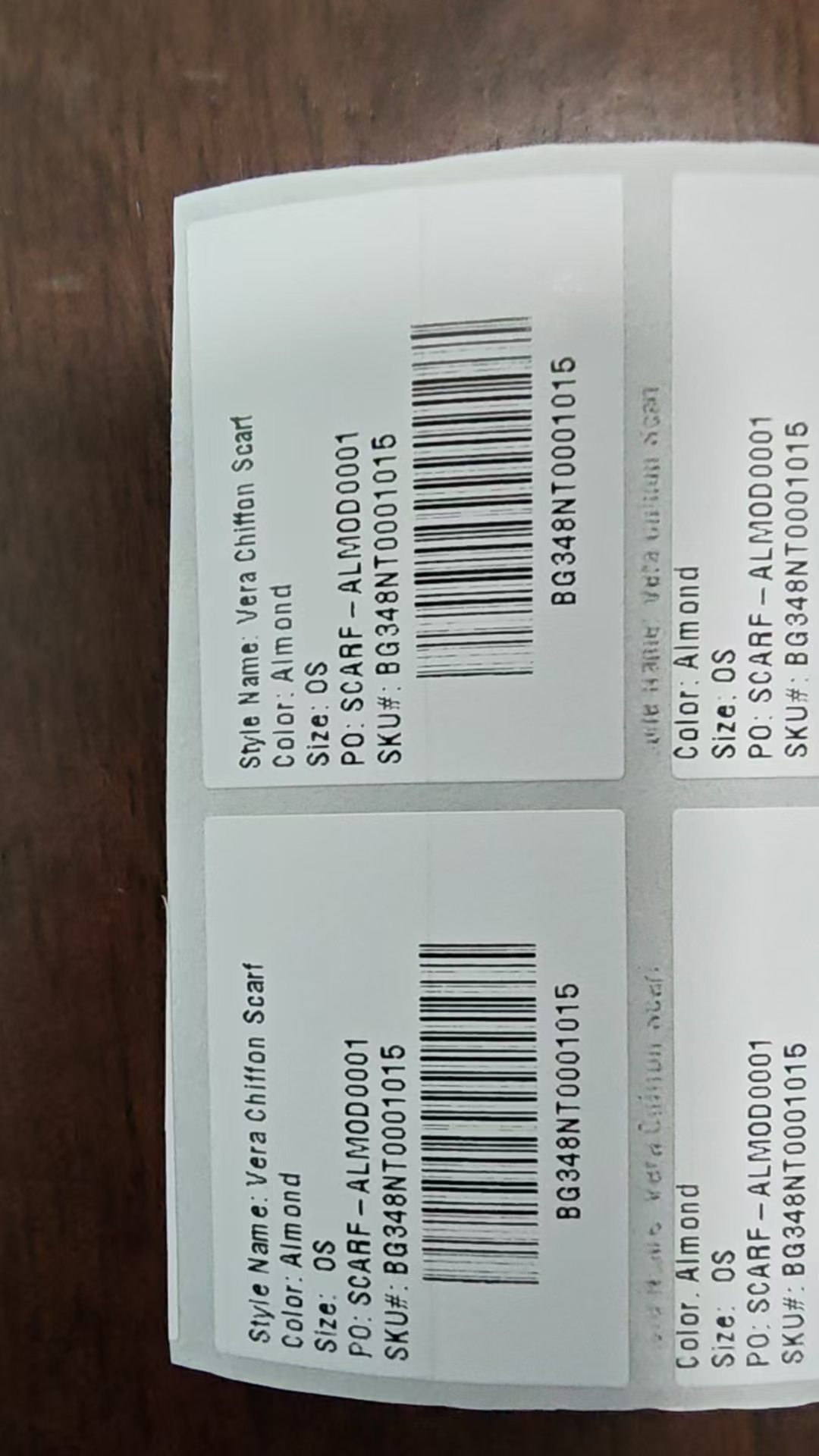
Some hangtag's chars are fuzzy due to ink bleed, for example: S -> looks like -> 8 G -> looks like -> O / 0
proposal1: Change The Hangtag's Font For the Fuzzy Places
Use Zebra Internal Fonts
Zebra printers come preloaded with a set of built-in fonts, labeled A through Z. Each one varies in size, spacing, and style, making them useful for different purposes.
Here’s a quick overview of the most common ones:
| Font | Description | Typical Use |
|---|---|---|
| A | 9×5 dots, sans-serif | Small text, addresses |
| B | 11×7 dots | Medium body text |
| C | 18×10 dots | Headings or warnings |
| D | 18×10 dots, proportional | More natural text spacing |
| E | 24×12 dots | Large, readable labels |
| 0 | Scalable (Swiss 721 BT) | Clean, modern, highly flexible |
Fonts A–E are bitmap-based and fixed-size, while font 0 is scalable. That scalability allows you to specify any size or DPI, which is ideal for complex layouts or varying label dimensions.
Font A-E Are bitmap-based
Bitmap-based font, which means it can just scale for Integer multiple.
For example: FontA's width: can just be 5(base) -> 10(5x2) -> 15(5x3) -> ...
Font 0 Is Scalable
Font0, which MES use now, are scalable, but kind of bold, due to ink bleed in small font-size.
Samples
Use BGC's Zebra printer <ZD888, 8dpmm(203dpi)>, max darkness(30).
Sample0: MES' Current Hangtag
^XA
^PW656
^LL240
^MD5
^CI28
^FO12,16^A0N,18,18^FDStyle Name: Vera Chiffon Scarf^FS
^FO12,36^A0N,18,18^FDColor: Almond^FS
^FO12,56^A0N,18,18^FDSize: ^FS
^FO60,56^A0N,18,18^FDOS^FS
^FO12,76^A0N,18,18^FDPO: SCARF-ALMOD0001^FS
^FO12,96^A0N,18,18^FDSKU#: BG348NT0001015^FS
^FO60,118^BY1,3,64^BCN,64,N,N,N^FDBG348NT0001015^FS
^FO96,192^A0N,18,18^FDBG348NT0001015^FS
^FO348,16^A0N,18,16^FDStyle Name: Vera Chiffon Scarf^FS
^FO348,36^A0N,18,18^FDColor: Almond^FS
^FO348,56^A0N,18,18^FDSize: OS^FS
^FO348,76^A0N,18,18^FDPO: SCARF-ALMOD0001^FS
^FO348,96^A0N,18,18^FDSKU#: BG348NT0001015^FS
^FO396,118^BY1,3,64^BCN,64,N,N,N^FDBG348NT0001015^FS
^FO432,192^A0N,18,18^FDBG348NT0001015^FS
^XZ
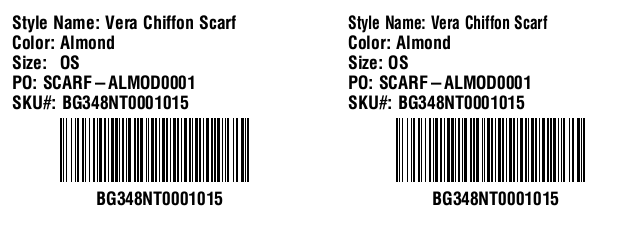
Sample1: Use FontA For Fuzzy Place
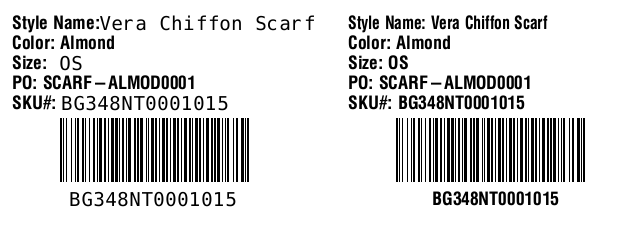
Use FontA (which is slimmer than Font0) For Size && SKU. The left side render the modified zpl, and the right side is the original zpl.
^XA
^PW656
^LL240
^MD5
^CI28
^FO12,16^A0N,18,18^FDStyle Name: ^FS
^FO100,16^AAN,18,8^FDVera Chiffon Scarf^FS
^FO12,36^A0N,18,18^FDColor: Almond^FS
^FO12,56^A0N,18,18^FDSize: ^FS
^FO60,56^AAN,18,8^FDOS^FS
^FO12,76^A0N,18,18^FDPO: SCARF-ALMOD0001^FS
^FO12,96^A0N,18,18^FDSKU#:^FS
^FO62,96^AAN,18,8^FDBG348NT0001015^FS
^FO60,118^BY1,3,64^BCN,64,N,N,N^FDBG348NT0001015^FS
^FO70,192^AAN,18,8^FDBG348NT0001015^FS
^FO348,16^A0N,18,16^FDStyle Name: Vera Chiffon Scarf^FS
^FO348,36^A0N,18,18^FDColor: Almond^FS
^FO348,56^A0N,18,18^FDSize: OS^FS
^FO348,76^A0N,18,18^FDPO: SCARF-ALMOD0001^FS
^FO348,96^A0N,18,18^FDSKU#: BG348NT0001015^FS
^FO396,118^BY1,3,64^BCN,64,N,N,N^FDBG348NT0001015^FS
^FO432,192^A0N,18,18^FDBG348NT0001015^FS
^XZ
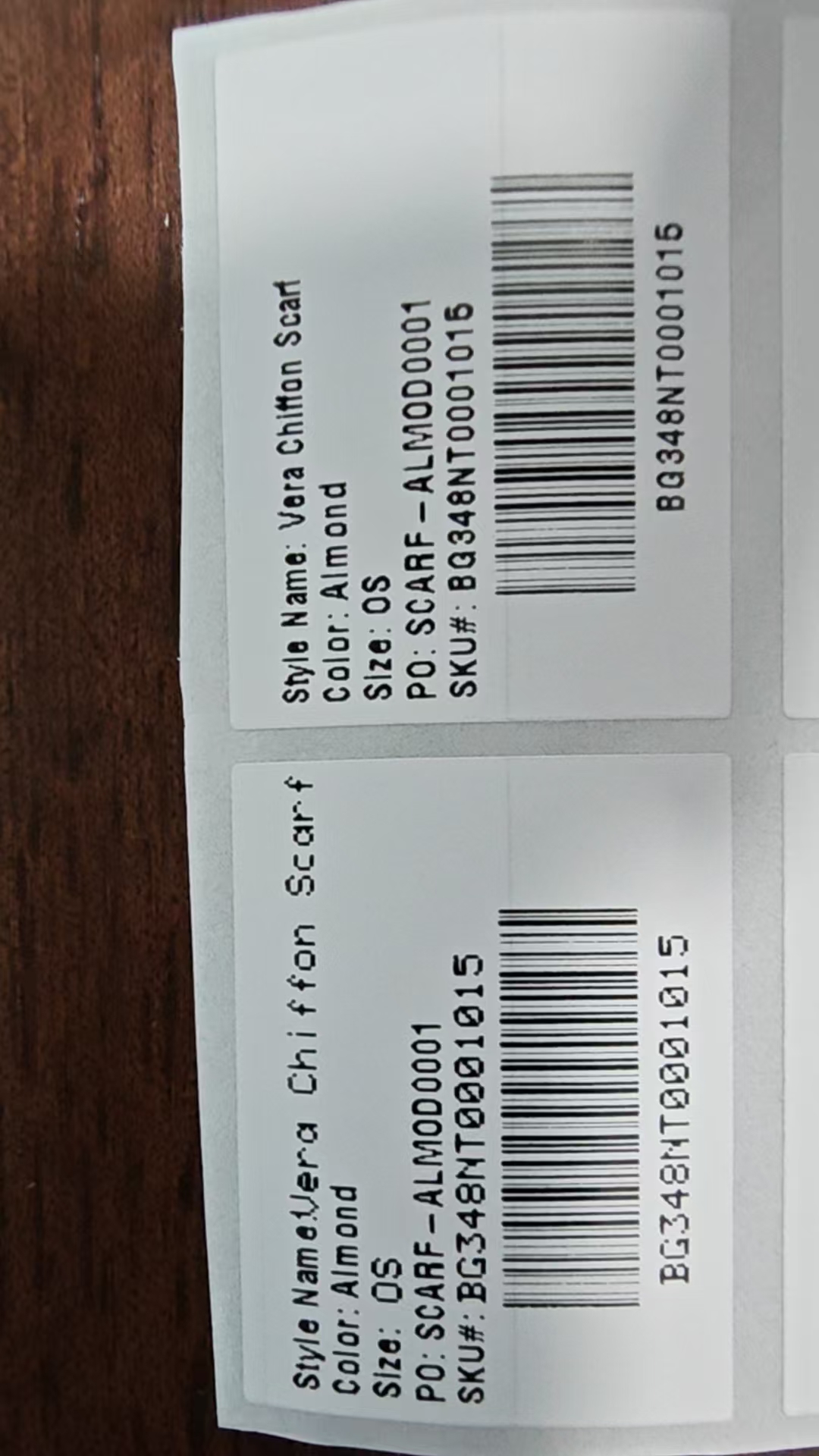
Sample2: Use A Custom Slim Font (Which Free for commercial use)
Use Archivo Narrow
^XA
^PW656
^LL240
^MD5
^CI28
^FO12,16^A@N,18,18,E:ARCHIVO.TTF^FDStyle Name: Vera Chiffon Scarf^FS
^FO12,36^A@N,18,18,E:ARCHIVO.TTF^FDColor: Almond^FS
^FO12,56^A@N,18,18,E:ARCHIVO.TTF^FDSize: ^FS
^FO60,56^A@N,18,18,E:ARCHIVO.TTF^FDOS^FS
^FO12,76^A@N,18,18,E:ARCHIVO.TTF^FDPO: SCARF-ALMOD0001^FS
^FO12,96^A@N,18,18,E:ARCHIVO.TTF^FDSKU#: BG348NT0001015^FS
^FO60,118^BY1,3,64^BCN,64,N,N,N^FDBG348NT0001015^FS
^FO96,192^A0N,18,18^FDBG348NT0001015^FS
^FO348,16^A0N,18,16^FDStyle Name: Vera Chiffon Scarf^FS
^FO348,36^A0N,18,18^FDColor: Almond^FS
^FO348,56^A0N,18,18^FDSize: OS^FS
^FO348,76^A0N,18,18^FDPO: SCARF-ALMOD0001^FS
^FO348,96^A0N,18,18^FDSKU#: BG348NT0001015^FS
^FO396,118^BY1,3,64^BCN,64,N,N,N^FDBG348NT0001015^FS
^FO432,192^A0N,18,18^FDBG348NT0001015^FS
^XZ
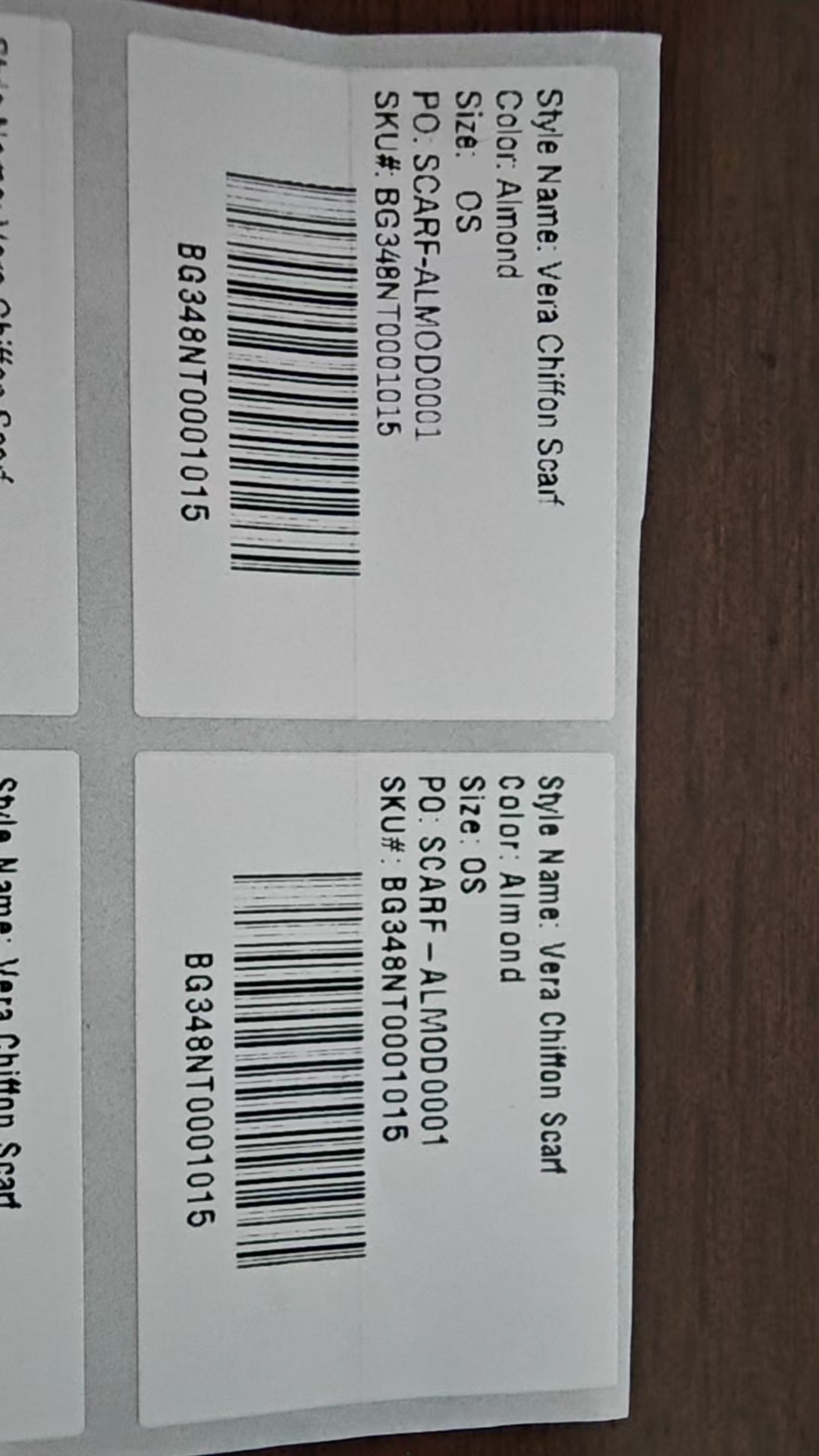
Sample1 / Sample2 Comparation
| Aspect | Sample1 (Zebra Built-in Font) | Sample2 (Custom Slim Font) |
|---|---|---|
| Font Used | Zebra built-in Font0 + FontA | Free commercial-use slim font (e.g., Archivo Narrow) |
| Font Type | Font0: Scalable; FontA: Bitmap-based | Scalable (TrueType) |
| Installation | Pre-installed on Zebra printers, no setup required | Requires uploading font file to printer (simple, one-time setup) |
| Scalability | FontA limited to integer multiples (e.g., 5x, 10x, 15x); Font0 fully scalable | Fully scalable at any size |
| Long Text Fit | FontA cannot fit long English text on current 80mm×30mm dual-panel label | Can fit long text across the full label |
| Short Text (Size / SKU) | Verified to display completely with FontA | Supports full label text replacement |
| ZPL Coverage | Partial — only Size and SKU switch to FontA; other fields stay as Font0 | Entire ZPL can use the slim font |
| Ink Bleed Resistance | FontA is slimmer → less bleed than Font0 | Slim typeface → less ink coverage → better clarity |
| License | Included with Zebra printer | Free for commercial use |
Appendices
Read Zebra Printer's Fonts
^XA
^HWE:*.TTF
^XZ
Rename Font
^XA
^TOE:originName.TTF,E:targetName.TTF
^XZ
Let Label Overall Up
^XA
^LT24
^XZ