Color Families for Product Listing Pages (PLP)
Overview
This document outlines the process of managing color families in the site's filtering system, specifically for the Color Bar and Color Accordions in the Flyout Filter menu.

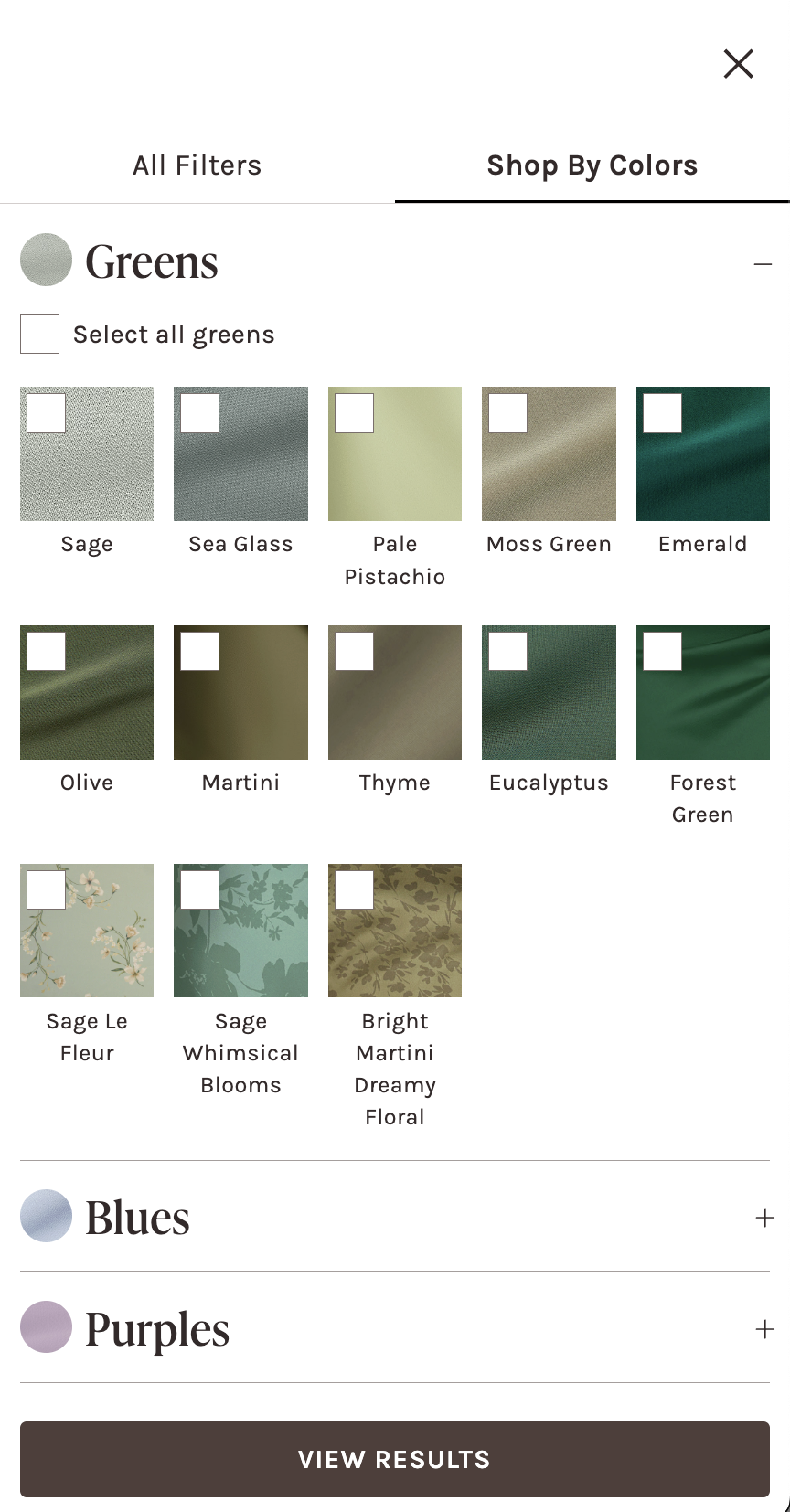
Location of Color Family Data
- Storage: Builder.io Site Settings
- Path:
siteSettings.collection.colorFamily - Accessible in:
root.tsx
How to Manage Color Families in Builder.io
Adding a New Color Family
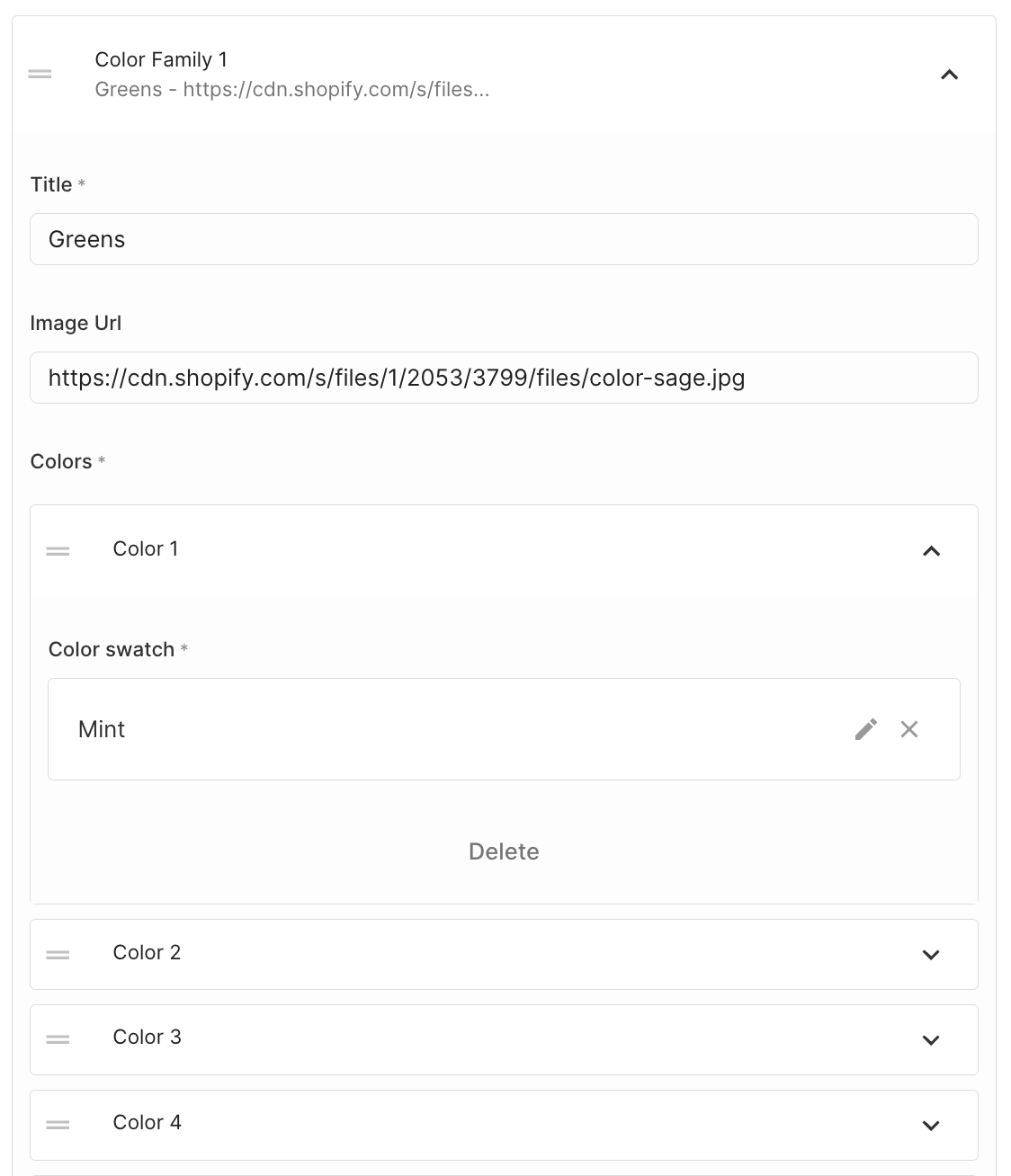
- Navigate to Site Settings
- Scroll to the bottom of the color families list
- Click "Color Family +"
Removing a Color Family
- Open the specific color family field
- Scroll to the bottom of the list
- Click "Delete"
Reordering Color Families
- Use drag and drop to change the position of color families in the list
- This affects the order in the Color Bar and Color Accordions
Enable Single Color Accordion
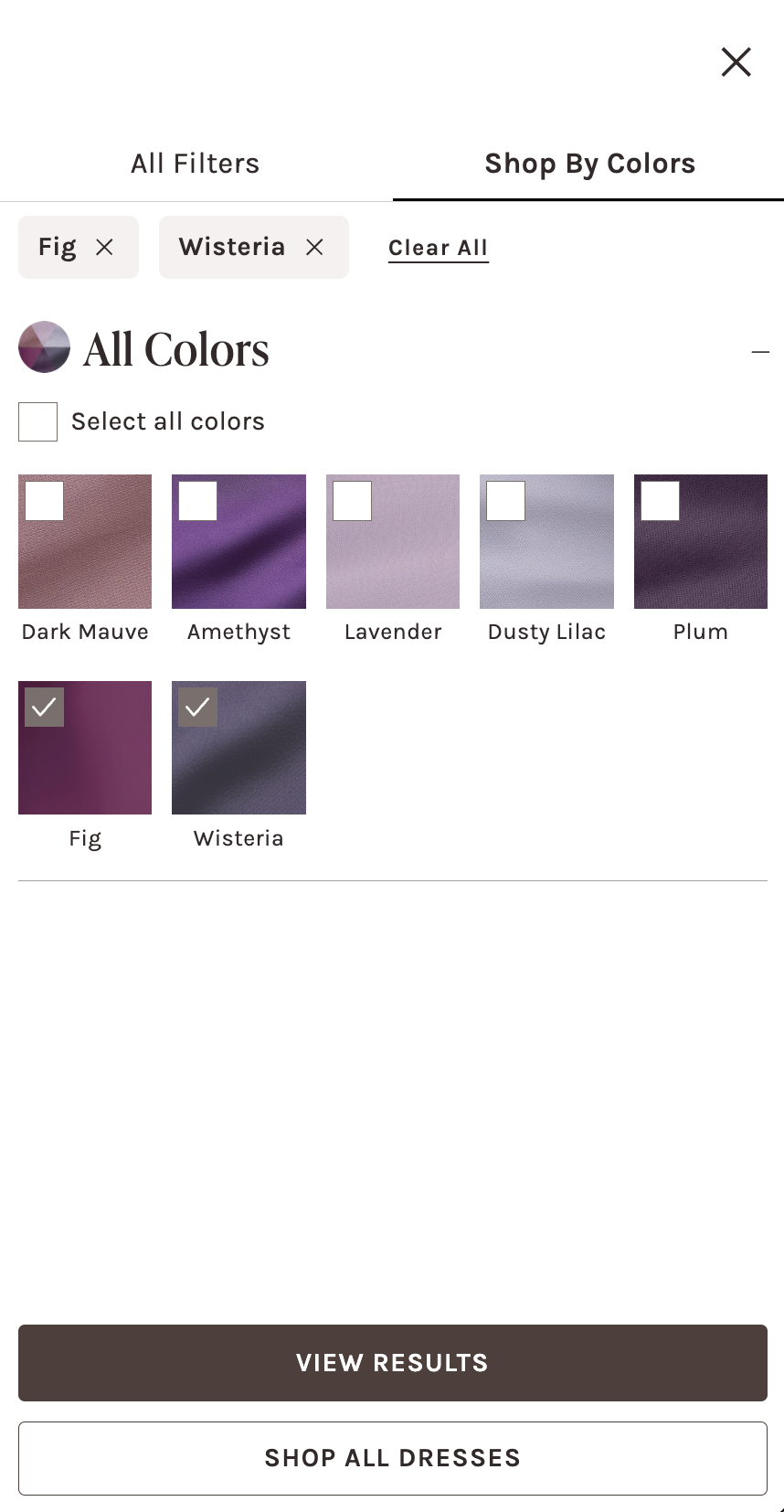
This feature is a special condition for color-specific collections. On PLPs where we want to display the "Select Your Colors" button in lieu of a color bar, the color family accordions are rolled into one accordion.
How to enable:
- Go to Shopify collection and upload an image in the Color Wheel Image field
custom.color_wheel_image. - Disable the PLP color bar
enable_color_bar.

Color Family Data Structure
Required Fields
-
Title (
title):- Example: "Greens", "Blues"
- Describes the color family
-
Image URL (
imageUrl):- Example:
https://cdn.shopify.com/s/files/1/2053/3799/files/color-eucalyptus.jpg - Represents the color family visually
- Example:
Colors Subfield
- Colors (
colors): List of color swatches
Color Swatch Details
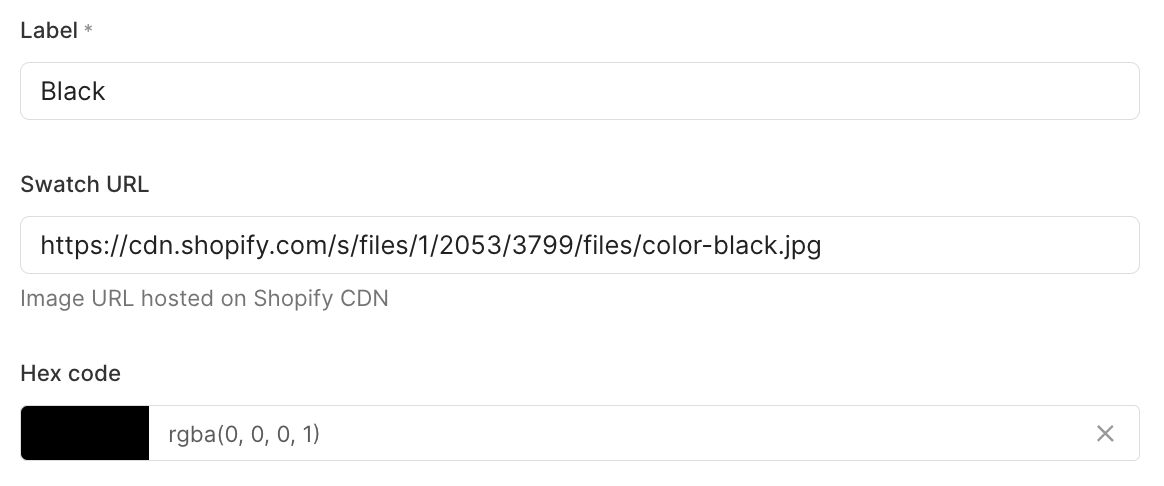
- Label (
label): Name of the color - Swatch URL (
swatch): Shopify CDN link to color swatch image - Hex Code (
hexCode): Color's hexadecimal representation- You must have either a hex code OR a swatch URL for the color to render in the Color Family Filter flyout
Best Practices
- Ensure consistent naming conventions
- Use high-quality, clear swatch images
- Verify hex codes for accuracy
- Maintain a logical order of color families
Troubleshooting
- If a color swatch doesn't appear, check:
- Hex code is present
- Swatch URL is a valid Shopify CDN link
- No required fields are missing in Builder (no error alert)